
NYT Games: Wordle & Crossword
The New York Times CompanyWord
4.811.89K Reviews
- Version
- 6.50.1
- Installs
- 10.00M
- Age Rating
- Everyone
Screenshots
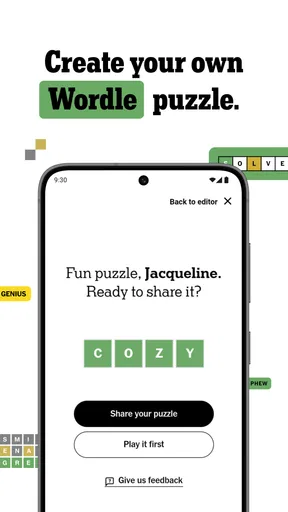
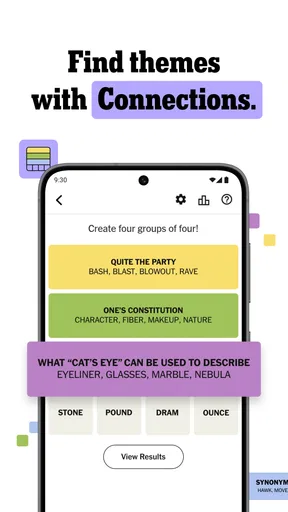
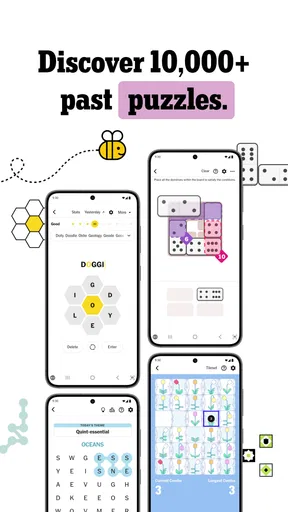
Our Review of NYT Games: Wordle & Crossword
 Analysis by Appyee
I open NYT Games: Wordle & Crossword when I want a puzzle that gives me something clear to do without asking me to plan a whole evening around it. The appeal is the small cycle: make a guess or enter an answer, see what the puzzle tells me, enjoy a little progress, then come back when I’m ready for another challenge. That works especially well in short breaks, though some puzzles reward a slower, more deliberate session.
A quick first move, with room to settle in
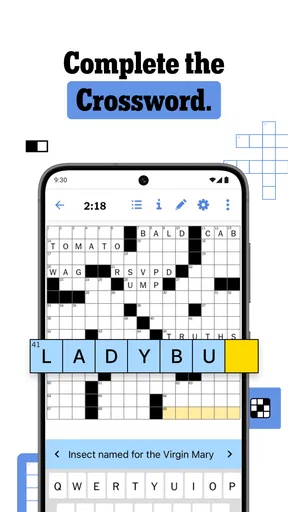
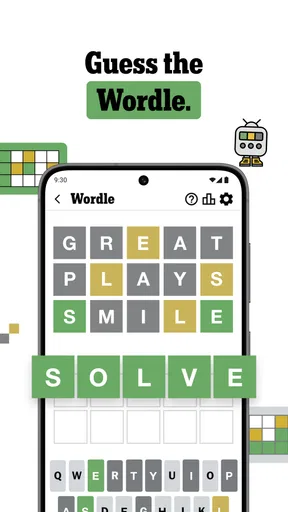
The easiest way to get a feel for the app is to start with a puzzle that has a simple action and an immediate response. In Wordle, I enter a five-letter guess and use the colored feedback to decide what to try next. In a crossword, I can move from clue to clue and fill in the answers I’m confident about, leaving the tougher squares for later. Those are different kinds of thinking, but having both in one place makes it easy to choose based on my energy and available time.
That choice is useful in an ordinary day. If I have a few minutes before heading out, I can try a compact word puzzle rather than begin something that needs a long stretch of attention. If I’m settled with a cup of tea, a crossword gives me a reason to stay with a grid and work through intersecting clues. I like that I don’t have to treat every visit as a major commitment; a small attempt can still feel satisfying.
Feedback that helps me decide what to do next
The pleasure of Wordle is not simply guessing the answer; it is interpreting the result of each guess. A correct letter in the right place narrows the field, while a letter that belongs elsewhere changes how I think about the next attempt. I try not to burn guesses by repeating the same idea in a different arrangement. Instead, I use each response to test a fresh possibility. That small discipline makes the game feel like reasoning rather than a string of lucky shots.
Crosswords give a different kind of feedback. An answer I know can create crossing letters that make a neighboring clue easier, so I don’t need to solve the grid in a straight line. When I hit a wall, I switch to a clue with a clearer answer and return with more letters to work from. That is one of the most practical habits for newer solvers: progress on the easy entries is not wasted time, because the crossings can unlock the harder ones.
Small wins, and the value of stopping
A finished grid or a successful word guess offers a neat little reward: I can see that my choices led somewhere. The satisfaction is modest, which is part of why it fits into a daily routine. I don’t need a long storyline or a complicated progression system to feel that a few focused minutes paid off. On a busy day, a short session can be enough; when I have more time, I can choose a crossword that asks more of me.
I also appreciate that these puzzles can make stopping feel natural. A completed challenge gives me a clear point to put the phone down, rather than encouraging me to keep tapping through an endless feed. That doesn’t mean every session is effortless. A difficult clue or an awkward run of guesses can be frustrating, and sometimes I close the app without solving what I hoped to solve. For me, that is a fair trade-off: the puzzle has to make me think, and not every attempt should end in a win.
One app, several ways to use a spare moment
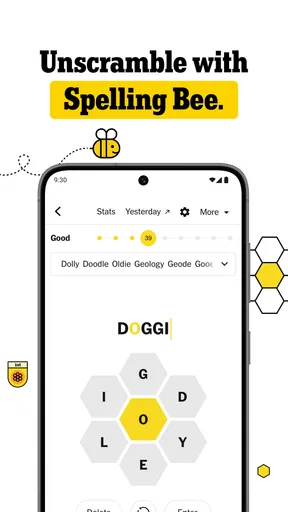
The app’s range is part of its appeal. The New York Times Company makes this word-game collection, and the mix suits households or friend groups where people enjoy different levels of challenge. A newcomer can begin with a straightforward daily word puzzle, while someone who already likes clue-based solving can spend longer with the crosswords. The Mini Crossword is a sensible pick when I want a shorter grid, and Spelling Bee changes the task from solving clues to finding words from a group of letters.
Those choices also make the app different from a single-purpose word game. A standalone daily guessing game may be cleaner if that is all someone wants, while a general puzzle app may offer more kinds of casual distractions. Here, I’m choosing among several recognizable word challenges in one destination. The trade-off is that the collection may feel like more than necessary if I only want one specific format, and some of its appeal depends on enjoying the New York Times style of puzzles rather than wanting a constantly changing mix of unrelated game types.
Who will enjoy it, and where it may not fit
I’d recommend it to people who like language, enjoy spotting patterns, or want a phone activity that can be picked up and put down without losing the point of the session. It also works for someone trying to make a small daily thinking break part of their routine: solve a word, make progress on a grid, then move on with the day. The Everyone age rating makes it broadly suitable by content, although the more challenging clues can still be demanding for younger or newer players.
I would look elsewhere if I wanted a fast action game, a story to follow, or puzzles that never ask me to sit with uncertainty. Word games can expose gaps in vocabulary or cultural references, and crossword clues sometimes feel much less welcoming when I don’t share the knowledge they assume. Hints and answer checks can help when I’m stuck, but leaning on them too quickly can drain the satisfaction out of solving. I use them as a nudge when I’ve genuinely run out of ideas, not as a shortcut through every difficult patch.
Getting Started with NYT Games
Jumping into NYT Games is as easy as pie. Once installed, you’re greeted by a sleek, minimalist interface. It’s all very intuitive, so even if you’re a newcomer to the digital puzzle world, you’ll feel right at home. The app offers a range of puzzles, but let’s start with the star of the show: Wordle.
The Wordle Obsession
If you haven’t heard of Wordle yet, where have you been hiding? It’s the internet’s latest obsession, a daily word challenge that’s got everyone from your grandma to your barista hooked. You get six tries to guess a five-letter word. Simple, right? But don’t be fooled; it’s trickier than it sounds. Each guess tells you how close you are by highlighting correct letters in green and almost-there letters in yellow.
What I love about Wordle is its simplicity. There are no ads, no distractions, just pure unadulterated word-guessing fun. Plus, it’s the perfect excuse to brush up on your vocabulary. I’ve learned more five-letter words in the past month than I ever thought possible!
Crosswords Galore
Now, if you’re more of a traditionalist, the Crossword section has you covered. The New York Times crosswords have been a staple for puzzle enthusiasts for decades, and the app brings that same quality straight to your phone. You can choose from a variety of puzzles, ranging from easy Monday ones to the brain-busting Sunday editions.
The app is great for both seasoned solvers and newbies. You can get hints, check your answers, and even track your solving streaks. Personally, I love the feeling of filling in that last square; it’s like winning a mini-victory every time.
The Little Extras
Besides the main attractions, NYT Games also offers a few other goodies. There’s the Spelling Bee, where you make as many words as possible from a set of letters, and the Mini Crossword, perfect for when you’re short on time but still crave a quick puzzle fix.
One neat feature is the ability to sync your progress across devices. So whether you’re on your phone, tablet, or even a computer, you can pick up right where you left off. It’s these little touches that make the app feel well-rounded and user-friendly.
Making the puzzle habit work for me
A useful approach is to match the puzzle to the kind of attention I actually have, rather than opening the app and committing to whatever appears first. I choose a quick format when I’m waiting in line, and save a more involved crossword for a quiet stretch when I can keep several clues in mind. This sounds simple, but it prevents a short break from turning into an irritating unfinished task. If I do need to leave a grid, I can return to it later; I don’t have to solve it in one sitting to enjoy the process.
When I’m playing with someone else, I find it works best to compare reasoning rather than race to the answer. One person may recognize a clue while the other notices a useful pattern in the letters. That makes the app a low-pressure shared activity, though it won’t replace a social game designed around teams or conversation. For solo play, I sometimes set a personal rule to make one more considered attempt before using a hint. It keeps assistance available without letting it do all the thinking.
What to expect before you install
The game is free to download and is rated for Everyone. It has a 4.7 average from around 114,000 ratings, with more than 5 million installs, so it has clearly found a large audience among people who enjoy this kind of daily word challenge. I’d still separate popularity from personal fit: the strongest reason to try it is whether you like vocabulary and clue-solving, not the size of its audience.
There are in-app purchases, with listed items ranging from $0.99 to $299.99. That wide range is worth noticing before you make a purchase: I’d check the specific item and its cost rather than assume every part of the experience is included with a free install. If I only want to sample the puzzles, I can begin without treating the purchase screen as a reason to commit. People who want unrestricted access to every puzzle or feature should review the available options in the app and decide whether the added access is worth it to them.
The current version is 6.13.0, and it requires Android 10 or later. The app first appeared on November 17, 2016, and its long-running presence is easy to understand: word puzzles have a clear rhythm that can become a habit without demanding a big time investment. Still, I’d check that my device meets the system requirement before downloading, especially if I’m using an older phone.
How the routine resets
After a puzzle ends, the next session has a different pull depending on what I played. With a daily guessing challenge, I may want to compare how I approached the answer or simply wait for the next puzzle rather than keep forcing more play. With a crossword, an unfinished section gives me a concrete place to resume, while a completed grid gives me a clean stopping point. Spelling Bee offers another kind of reset because the task is to keep finding words rather than follow a sequence of clues. That variety helps the collection feel less repetitive, though it also means I need to choose deliberately instead of expecting every mode to scratch the same itch.
For a first visit, I’d try one short puzzle and notice whether the feedback makes me curious to continue. If it does, move to a format that suits your pace; if the clues feel obscure or the guessing loop feels too constrained, there’s no need to turn it into a daily obligation. The best routine is one that stays enjoyable, not one maintained just for the sake of a streak.
Final Thoughts
All in all, NYT Games: Wordle & Crossword is a delightful mix of fun and challenge. Whether you’re a wordsmith looking to test your skills or just someone who enjoys a good puzzle, this app has something for everyone. It’s become a staple in my daily routine, and I bet it’ll do the same for you.
So, if you haven’t already, give it a whirl. Who knows, you might just find yourself eagerly awaiting the next day’s puzzle like the rest of us. Happy puzzling!
Privacy and Permissions
See what permissions an app requests and how it handles your data.
- Wi-Fi connection information
- view Wi-Fi connections
- Other
- view network connections, full network access, run at startup, prevent device from sleeping
Verdict
Strengths of NYT Games: Wordle & Crossword
- Engaging daily challenges keep users coming back.
- Diverse range of puzzles for varied interests.
- Simple interface makes navigation a breeze.
- Offline mode available for uninterrupted play.
- Regular updates with new and exciting puzzles.
Limitations of NYT Games: Wordle & Crossword
- Premium content requires subscription.
- Occasional app crashes reported by users.
- Some puzzles may be too challenging for beginners.
- Limited hints can frustrate some players.
- Ads can interrupt gameplay in free version.
Other Releases by The New York Times Company
View All
NYTimes: US and Global News
News & Magazines4.7


The Athletic: All Sports News
Sports4.5

NYT Cooking: Quick Tasty Meals
Food & Drink4.9
Similar Picks in This Category
View All
Word Search - Word Puzzle Game
Bluetile4.8

Word Search Quest - Puzzles
Blackout Lab4.8

CodyCross: Crossword Puzzles
Fanatee, Inc.4.7

Words of Wonders: Crossword
Fugo Games4.9

Wordscapes: Word puzzle game
PeopleFun4.7

Word Search Explorer
PlaySimple Games4.9
Frequently Asked Questions
What types of games are available in the NYT Games app?
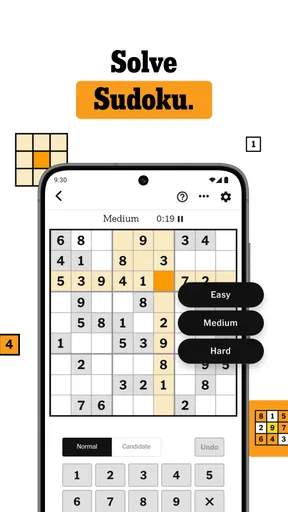
The NYT Games app offers a variety of word-based games, including the popular Wordle, daily crosswords, and mini crosswords. It also features Spelling Bee and other engaging puzzles, ensuring a diverse experience for word enthusiasts. Each game offers different levels of difficulty, catering to both casual players and seasoned puzzle solvers.
Is a subscription required to access all features of NYT Games?
While the app provides free access to some games like Wordle, a subscription is required to unlock the full range of puzzles and features. Subscribers benefit from daily crosswords, archived puzzles, and additional word games, providing a comprehensive experience for avid puzzle fans seeking more challenges.
Can I play NYT Games offline?
Yes, many games within the NYT Games app can be played offline once they're downloaded. This feature is particularly useful for users who want to enjoy puzzles without internet access. However, certain features, such as syncing progress or accessing daily updates, require a connection.
How user-friendly is the NYT Games app for beginners?
The NYT Games app is designed with a user-friendly interface that suits both beginners and seasoned players. It provides helpful instructions, hints, and the ability to adjust difficulty levels. Beginners can start with easier puzzles and gradually work up to more challenging games as they gain confidence.
Are there any in-app purchases in NYT Games?
Besides the subscription model, the app offers a few in-app purchases, mainly for additional puzzle packs or special features. These are optional and are designed to enhance the gaming experience. Users can enjoy a substantial amount of content with the basic subscription or free version.
Play our best games!


